
Unlock a Samsung Galaxy from Sprint and Use it With Any Provider
Last Updated on April 12, 2024 by Angelos ChronisThere is some kind of unique pleasure to getting a brand new phone. You get to boast to friends and colleagues, you can use all the latest apps and enjoy some of the coolest features. But, given how fast technology is evolving, not everyone can afford to buy a new phone every other year. In fact, those people that do buy new phones with such frequency are something of a rarity.
This doesn't mean that the rest of us cannot find a newer phone to replace an older one, however. Many people, like me, are turning to the used-phone market. A great, inexpensive alternative where you can get relatively new phones for almost a fraction of their price. But there is a catch; You might not be able to use some of those second-hand phones straight off the box.
just like Janine commented on an online forum:
Hi! I bought a Sprint Samsung Galaxy s5 from someone. I was hoping to use it on T-Mobile. They contacted Sprint and got an MSL code. When I put in my T-Mobile sim card, it didn't ask for a code. There's a notification saying that the sim card is invalid. Please help!!
Janine's plight is not unique either to this specific brand or providers. But, for the sake of convenience, let us see how we could help Janine unlock her Galaxy from Sprint and use it with another provider.
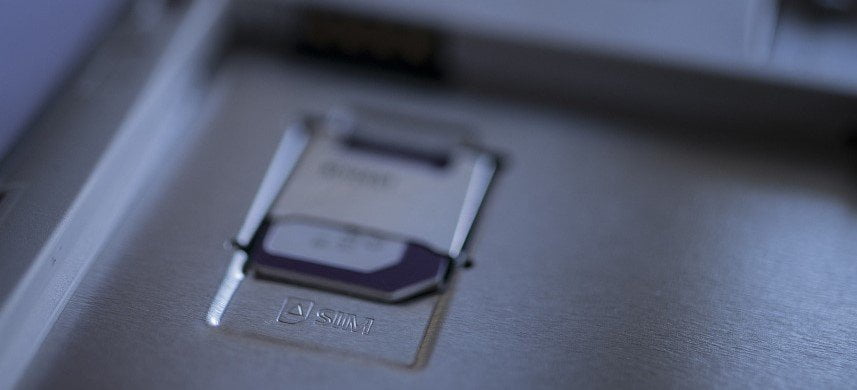
Things to do before you start
There are some things we need to make sure are in order before we start. Whichever of the paths we have listed below you decide to take, there are a few risks. To be more precise, those risks are:
- Your Galaxy might get bricked.
- You may lose all your data on the Samsung Galaxy.
- You could get in trouble with Sprint. For example, they could move legally against you because unlocking a phone without permission is illegal.
Thus, since things can get a bit tricky, here is what you need to prepare to make sure that you unlock your Galaxy from Sprint without issues.
Things to check
You can check everything listed below either by calling the carrier, or by consulting any paper you were given along with the purchase.
- Make sure there are no outstanding bills linked to the Sprint number for your device. If there are, Sprint might ask for them to be paid before they help you.
- Make sure that the phone has had a Sprint subscription linked to it for the required minimum amount of time before you are allowed to modify it. That could be anywhere from one to five years from the day it was purchased.
- Check to see if the device has been blacklisted by the carrier or if there are any stolen or missing reports for it. This is highly unlikely, but in those cases, you may want to avoid contacting Sprint.
Note
If it was you that bought the phone from Sprint and now wish to unlock it, you should back up all your data before. This way, you'll ensure that it will be safe even if the worst comes to pass and you somehow brick your Galaxy.
With all that out of the way, we can move on to actually unlocking our Galaxy.
Get Sprint to unlock your Samsung Galaxy
The first thing we can do is contact Sprint itself at 866-866-7509. Most companies have an unlocking plan for those that wish to change providers once they have had a contract for a specific amount of time.
If you are lucky, Sprint will unlock your Galaxy either for free or for a small fee.
Unlock your Galaxy by reflashing it
However, not everyone is as lucky. In some cases, there are reasons for Sprint to refuse to unlock your Galaxy or there might not even be a Sprint office in your country.
In those cases, you can try reflashing your Galaxy. This is a process that will allow you to remove the system on your phone and replace it with a custom one that doesn't have Sprint's locking mechanism on it. It is a bit complicated, but if you follow this guide step by step, you should be fine.
Here is what you need to do:
- Search for "custom firmware for the Galaxy" and download it on your computer.
- Turn off your phone.
- Press and hold the Power and Volume up buttons simultaneously until your Galaxy turns back on.
- You will be in Download mode.
- Connect your Galaxy to your computer using a USB cable and install the firmware you just downloaded.
- Then, restart your device.
With that, your Galaxy should be fully unlocked.
Note
Download mode can be risky to get in and out of. This is why we have the perfect solution an app that will make the whole process as easy as possible.
Use a third-party unlocking app
If the above process sounds a bit too complicated or too risky for your tastes, there is one alternative; You can download an unlocking app on your computer and let it do all the hard work for you. Some of those apps are even created and used by companies like Sprint.
All you really need to do is search for a "phone unlocker" or a "SIM unlocker" and use the app that you think is best.
However you should be really careful about what app you use and make sure to red all the comments as well as check forums like Tom's Hardware or Quora for reviews and opinions as the use of some of those apps might be strictly prohibited and even get you in trouble.
Conclusion
Most people nowadays, cannot afford to keep up with all the new phones coming out every year. This is why some of them turn to buying second-hand ones. However, those may sometimes be locked to a specific company like Sprint.
In this article we took the example of how to unlock a Galaxy from Sprint but you can use these very same principles for any combination of devices and providers.
FAQs
Android Data Backup&Restore
World's #1 Data Backup Kit for Android
Back up Android Documents, Videos, Pics, Audio, Email, Apps Data, Settings
Restore Various Types of Data from Previous Backup Files with One CLick
Works on All: Samsung, Xiaomi, Huawei, OPPO, VIVO, ZTE, Motorola, etc
Back Up Your Android Phone Right Away!